Techsolint Login Appearance Customizer
Transform Your WordPress Login Page Into a Branded Experience
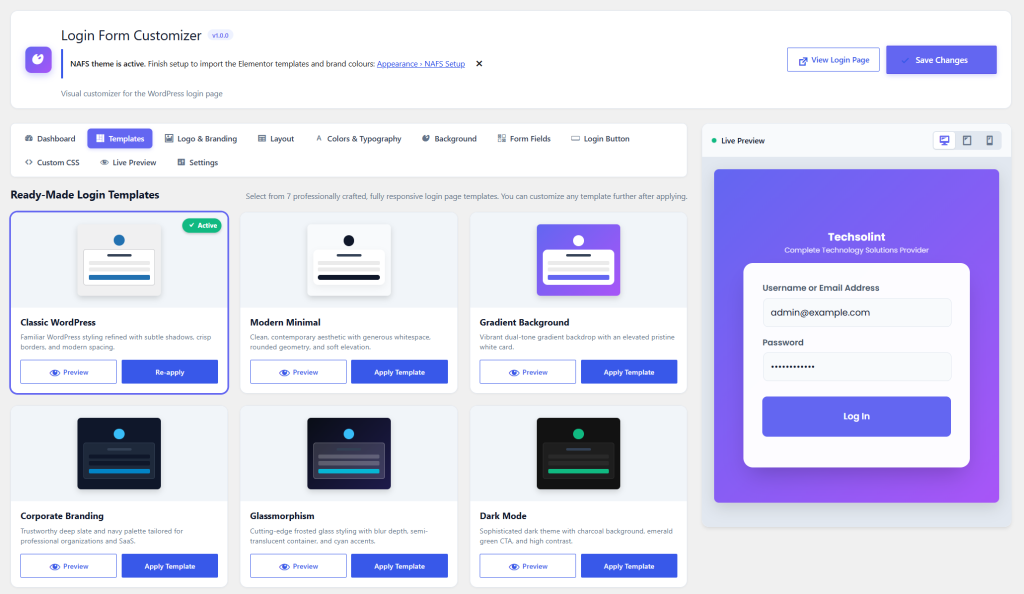
A Better Login Experience Starts Here
Whether you're running a business website, membership platform, online store, educational portal, or SaaS application, your login page is an important part of your brand experience.
Techsolint Login Appearance Customizer gives you complete creative control over the appearance of your WordPress login page.
- Visual Admin Settings Panel
- Real-Time Live Preview
- 7 Ready Templates
- Custom Branding & Logo
- Typography & Colors
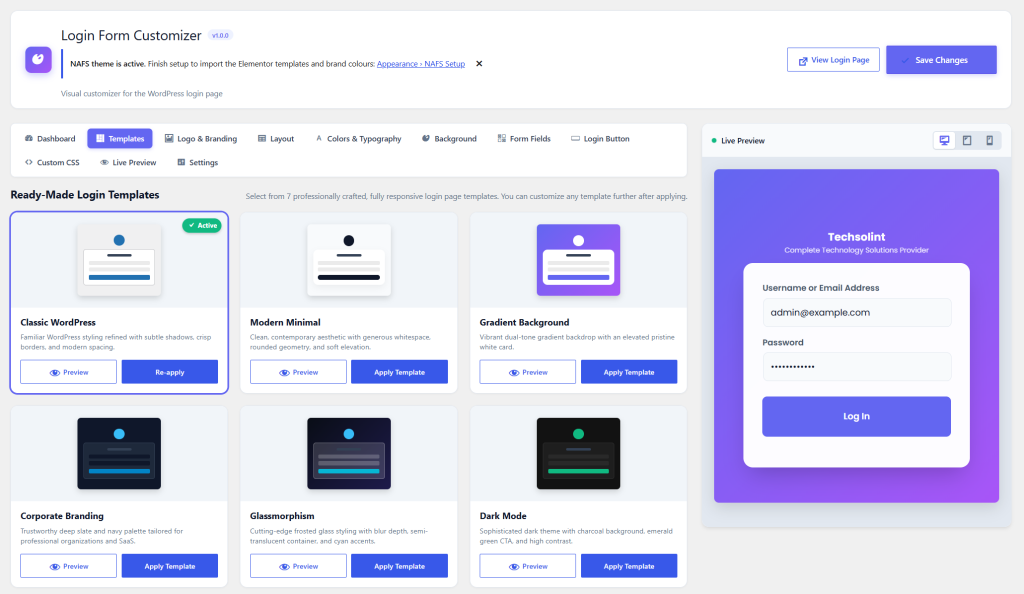

Design With Confidence. Preview Before Publishing.
Stop guessing how your login page will look.
The integrated Live Preview dock lets you see your design changes as you make them. Switch between different device views to understand how your login page adapts to different screen sizes.
Preview Modes:
Desktop – Full desktop preview.
Tablet – 768px viewport.
Mobile – 375px viewport.
Customize your design, inspect the results, and save when you’re satisfied.
Complete Branding Control
Make Your Login Page Truly Yours
Create a consistent brand identity from the moment users arrive at your login screen.
Logo & Branding
Upload logos using the WordPress Media Library.
Customize logo width and height.
Set custom logo destination URLs.
Configure hover tooltip text.
Add personalized welcome headings.
Customize welcome subtitles.
Login Form Design
Custom username and email placeholders.
Custom password placeholders.
Input backgrounds and text colors.
Border and focus glow colors.
Adjustable field radius and font size.
Custom field padding.
Login Button Styling
Custom button labels.
Full-width or auto-width buttons.
Custom background and text colors.
Hover color effects.
Button padding and border radius.
Customize Appearance Without Changing Authentication Logic
Your website’s security matters.
Techsolint Login Appearance Customizer focuses on the visual presentation of the standard WordPress login page while leaving WordPress core authentication routines untouched.
The plugin includes:
Capability checks using
manage_options.Nonce verification for AJAX endpoints and form submissions.
Sanitization of settings, colors, URLs, and HTML.
No modifications to WordPress password hashing.
No changes to authentication cookies, salts, or core authentication handling.
Clean uninstall functionality with optional settings preservation.
Customize your login experience while keeping the underlying WordPress authentication system intact.
Simple Installation
Get Started in Just a Few Steps
Install the Plugin
Download the plugin from WordPress.org or install it directly through your WordPress dashboard.
Activate
Activate Techsolint Login Appearance Customizer from the Plugins menu.
Open Login Customizer
Navigate to Login Customizer in your WordPress admin sidebar.
Choose Your Design
Select one of the seven templates or customize your login page from scratch.
Preview & Save
Review desktop, tablet, and mobile previews, then save your changes.
Frequently Asked Questions
Frequently Asked Questions About Techsolint Login Appearance Customizer
1. What is Techsolint Login Appearance Customizer?
It is a WordPress plugin that allows administrators to customize the appearance of the default WordPress login page. You can personalize backgrounds, logos, colors, layouts, typography, input fields, buttons, and other login page elements without writing CSS.
2. Is the plugin free?
Yes. The plugin is available through the official WordPress.org Plugin Directory and can be installed directly from your WordPress dashboard.
3. Does this plugin affect WordPress login security?
No. The plugin focuses on the visual presentation of the login page and does not modify WordPress core authentication routines, password verification, cookies, salts, or error handling.
4. Can I upload my own logo?
Yes. You can upload or select your logo through the native WordPress Media Library and customize its dimensions, link destination, and tooltip text.
5. How many ready-made templates are included?
The plugin includes seven ready-made designer templates: Classic WordPress, Modern Minimal, Gradient Background, Corporate Branding, Glassmorphism, Dark Mode, and Full-Screen Background Image.
6. Can I preview the login page before publishing changes?
Yes. The plugin provides an integrated real-time preview with desktop, tablet (768px), and mobile (375px) viewport modes.
7. Can I import and export my settings?
Yes. You can export your customization settings into a JSON backup file and import them later using a JSON file or pasted JSON configuration.
8. What are the minimum technical requirements?
The published plugin listing specifies WordPress 5.6 or higher and PHP 7.4 or higher. Check the WordPress.org listing for the latest compatibility information.
9. Can I reset my customizations?
Yes. You can reset individual settings sections or restore all plugin settings to their defaults using the reset controls.
10. Does the plugin support custom fonts?
Yes. Optional Google Fonts include Inter, Roboto, Open Sans, Lato, Montserrat, Poppins, and Playfair Display. System UI and Inherit options are also available.